

Screen Time Tracker
A windows app and background agent that tracks screen time and application usage and provides detailed statistics.
2026
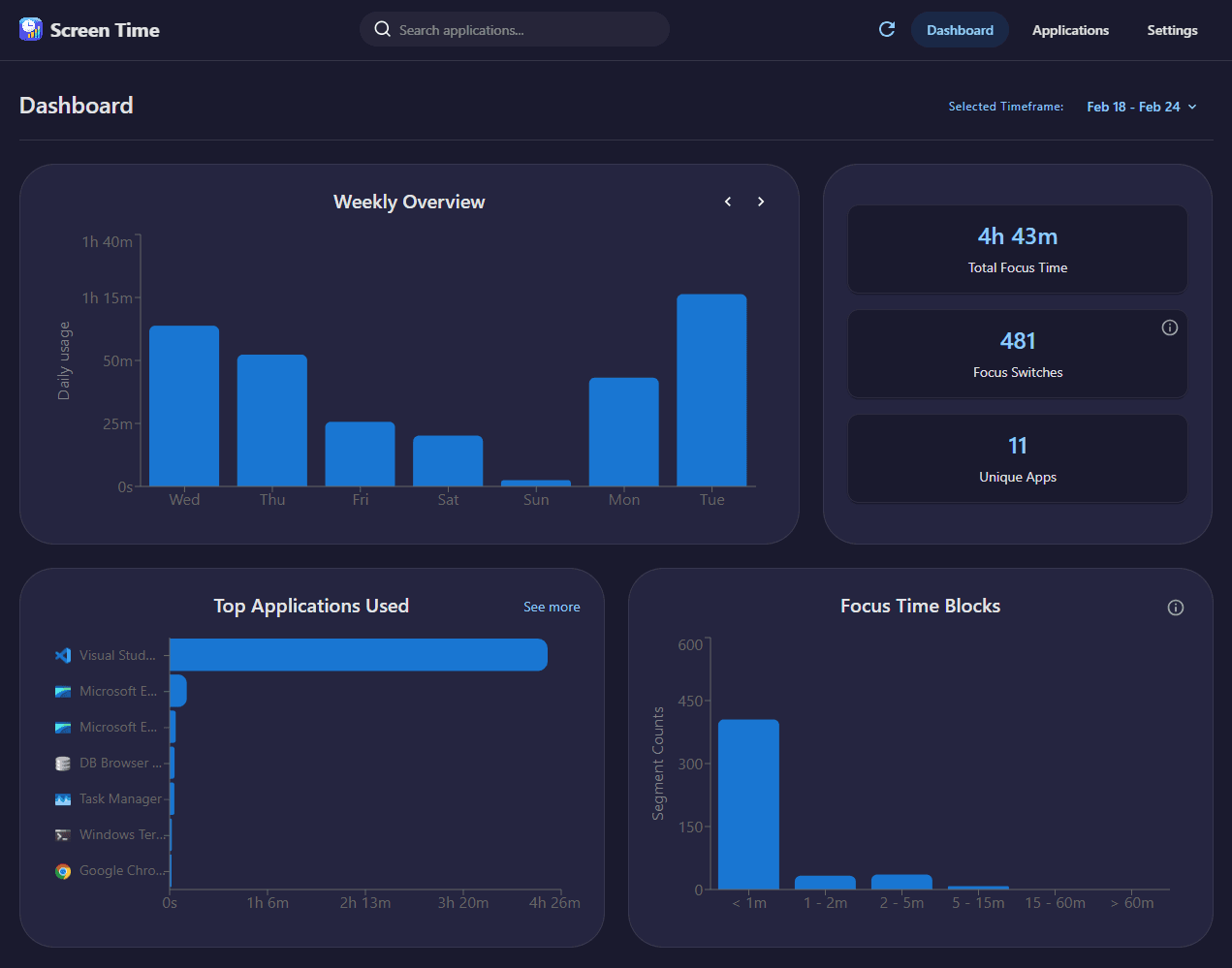
Screen Time Dashboard
Tech Stack
Overview
This is a Windows-only screen time + usage analytics app inspired by the iOS screen usage app. I built it mainly as a learning project to get stronger at systems-level Rust (background agents, OS APIs, concurrency, data modeling), but also with a strong focus on clean architecture, clear module boundaries, and keeping the codebase organized as it grows. My intent is to publish this for free.
Everything is local-only: no accounts, and nothing saved on the cloud. The app runs as a long-running background agent and stores data in a local SQLite database, and the desktop dashboard communicates with the Rust backend through explicit Tauri commands and DTOs rather than accessing the database directly.
Key Features
- Tracks active foreground applications.
- Detects idle/AFK time so usage doesn’t keep counting when you’re away.
- Dashboard views for Daily / Weekly summaries, top apps, timelines and other interesting statistics.
- Settings to tailor performance + privacy (hide vs destroy on close, start on windows start up, disable tracking specific apps, pause / resume tracking).
- Local-first by design: all data stays on-device in SQLite.
- Aggregates raw samples into time segments for cleaner analytics and better DB performance.
Technical Highlights
The app is built as a Rust background agent + a desktop UI (Tauri + React/TypeScript) that reads analytics from a shared SQLite database. I tried to keep the codebase organized with clear module boundaries (sampler collector and platform/Win32 layer, database layer, Tauri layer, UI bridge over IPC) with an emphasis on clean seperation of concerns and clear communication patterns between components.
For performance and communication, the collector uses multiple threads (sampling vs writing) with channel-based communication, and the data is stored as merged “segments” to reduce database writes until focus changes. The UI talks to Rust through clear DTOs/commands over IPC (instead of sharing internals directly)
On the Windows side, it uses Win32 APIs to detect the active foreground window, handle idle detection, gather metadata like titles and icons, etc. I also added schema migrations early so updates don’t rely on manual DB changes once it’s installed on someone else’s machine.